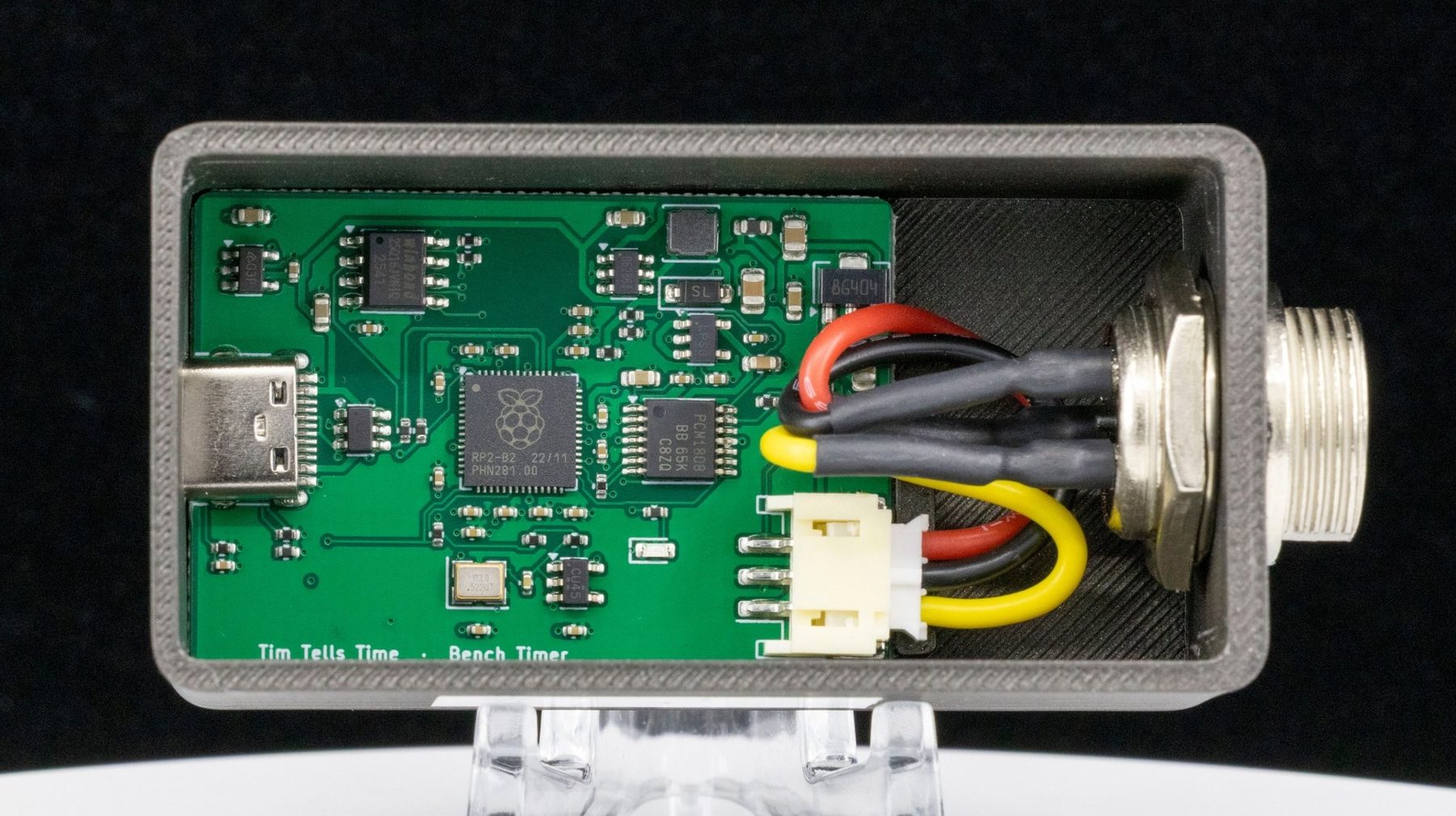
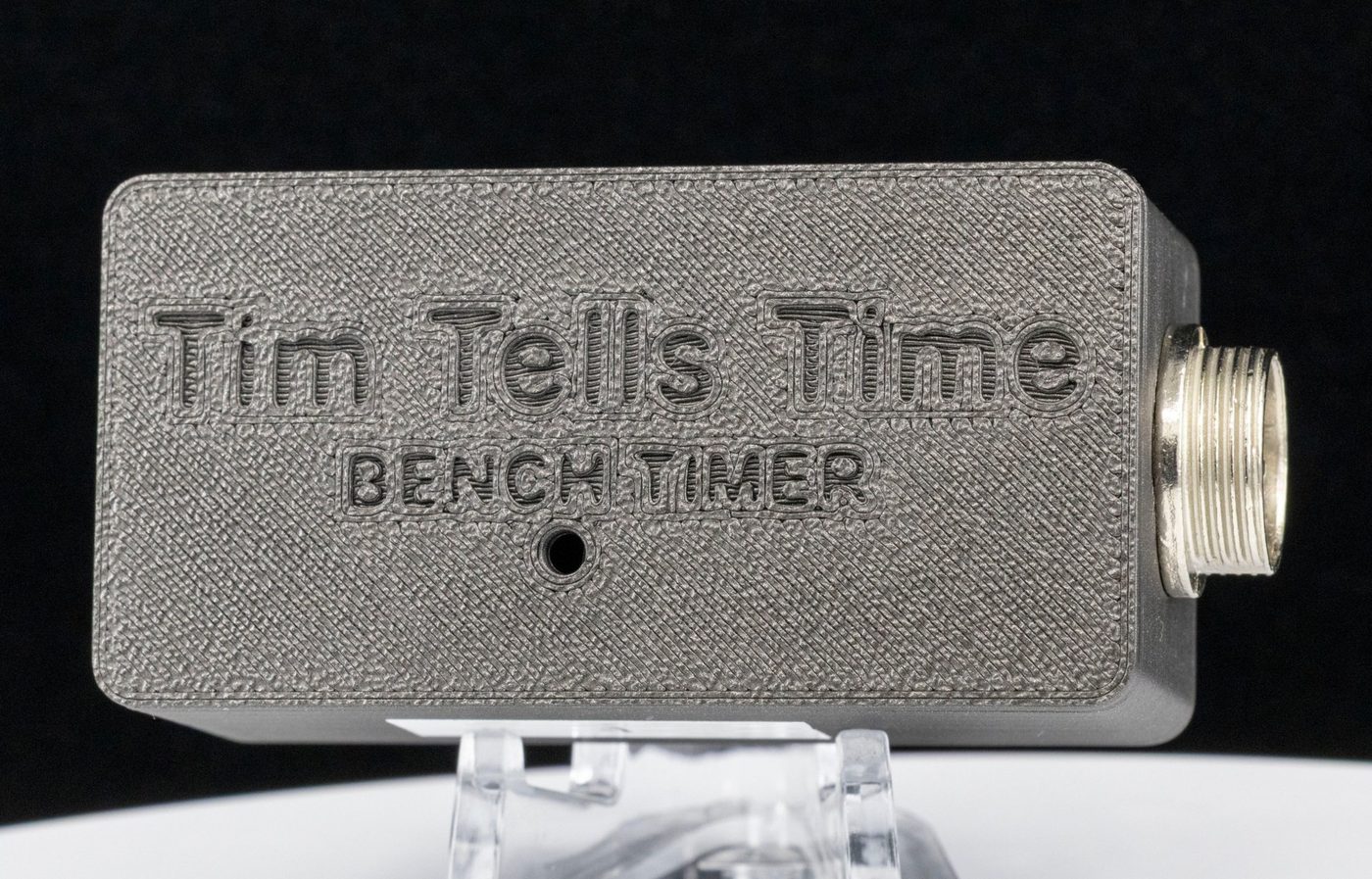
Your Weishi microphone,
a full timing lab.
Live timing you can see and hear, logging for days, guided position tests, fault diagnosis, and a report your customers will understand. All from the Weishi 1000 or 1900 microphone stand already on your bench.
The Weishi microphone is good. The box it plugs into holds it back.
The Weishi stand is solid and swivels through every test position. But the box shows numbers on a small screen and forgets them the moment you look away.
Weishi box on its own
- Rate, amplitude and beat error on a 4-inch LCD
- Averaging up to 60 seconds
- Nothing saved: no history, no long runs
- No power-reserve test without sitting and watching
- No report to hand a customer
- You can’t hear the real escapement or see the shape of the beat
Weishi microphone + Bench Timer
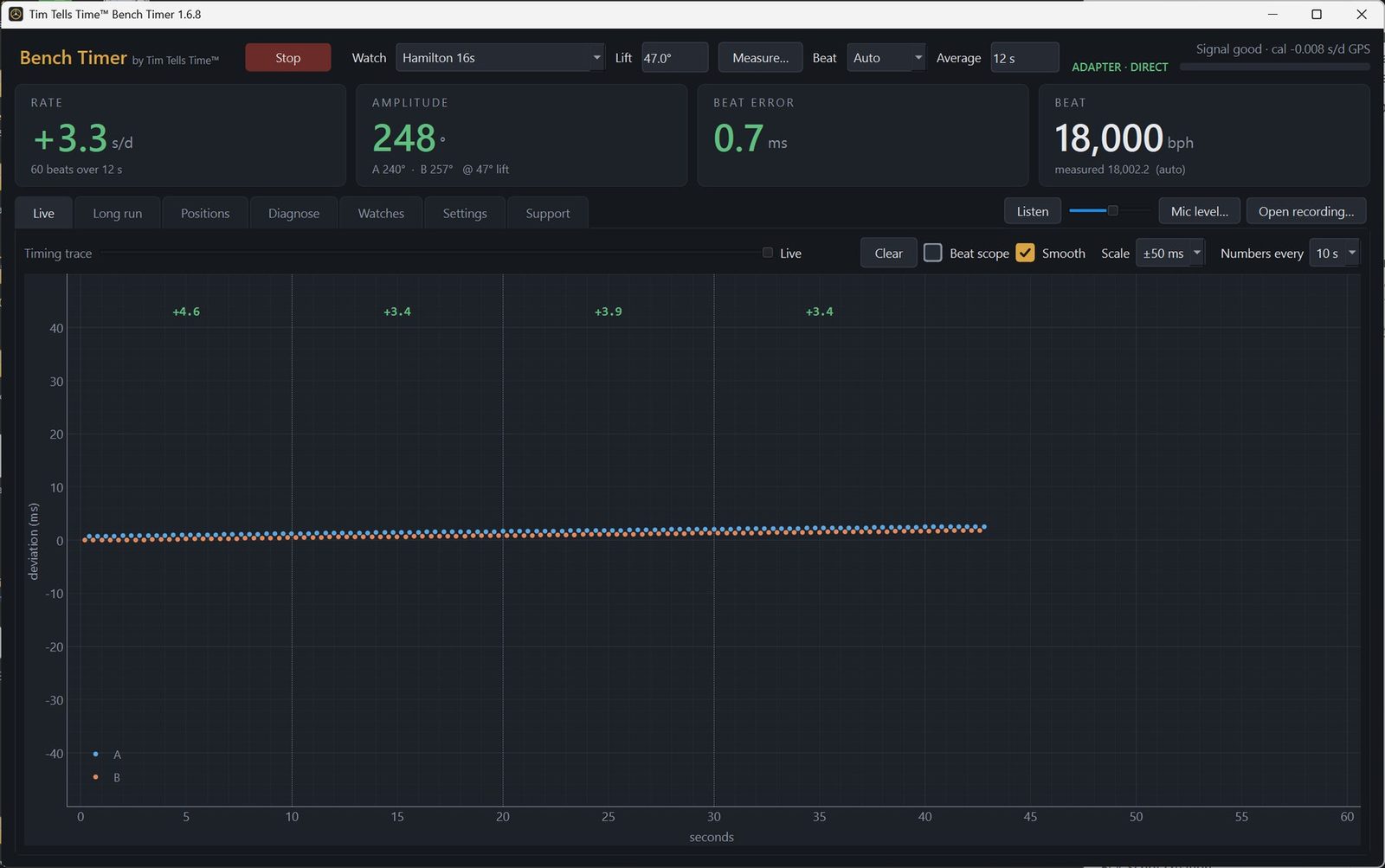
- The same readings, large and colour-coded, plus a timing trace with an exact rate every 10 seconds
- Logs for hours or days, and stops by itself when the watch does
- Guided position tests with horizontal and vertical statistics
- Diagnose: repeating wheel errors, rate jumps, knocking, poise
- One-page PDF reports with your shop name, logo and a written summary
- Listen to the actual escapement through headphones
See it, read it, hear it.
The paper tape, with exact numbers
Each beat plotted as it happens, tick and tock in two colours. The rate for every 10-second block is printed across the top, so you never estimate a slope.
The shape of the beat
The averaged sound of each side of the swing, with unlock and drop marked. A wrong lift angle or a dragging escapement shows at a glance.
The real escapement
Hear the watch itself through headphones, with a hum filter and volume control. Not a synthetic beep.
Recognises the movement
Detects 3,600 to 86,400 bph automatically, or enter any custom rate. Reliable even on low-amplitude watches.
70° to 360° amplitude
Still reads a tired watch below 100°, and every lift angle from 10° to 90°, with a helper for when you don’t know it.
Never look up a lift angle twice
Save each calibre with its beat, lift angle and preferred position sequence. Pick it from a list and go.
Wind it, start it, walk away.
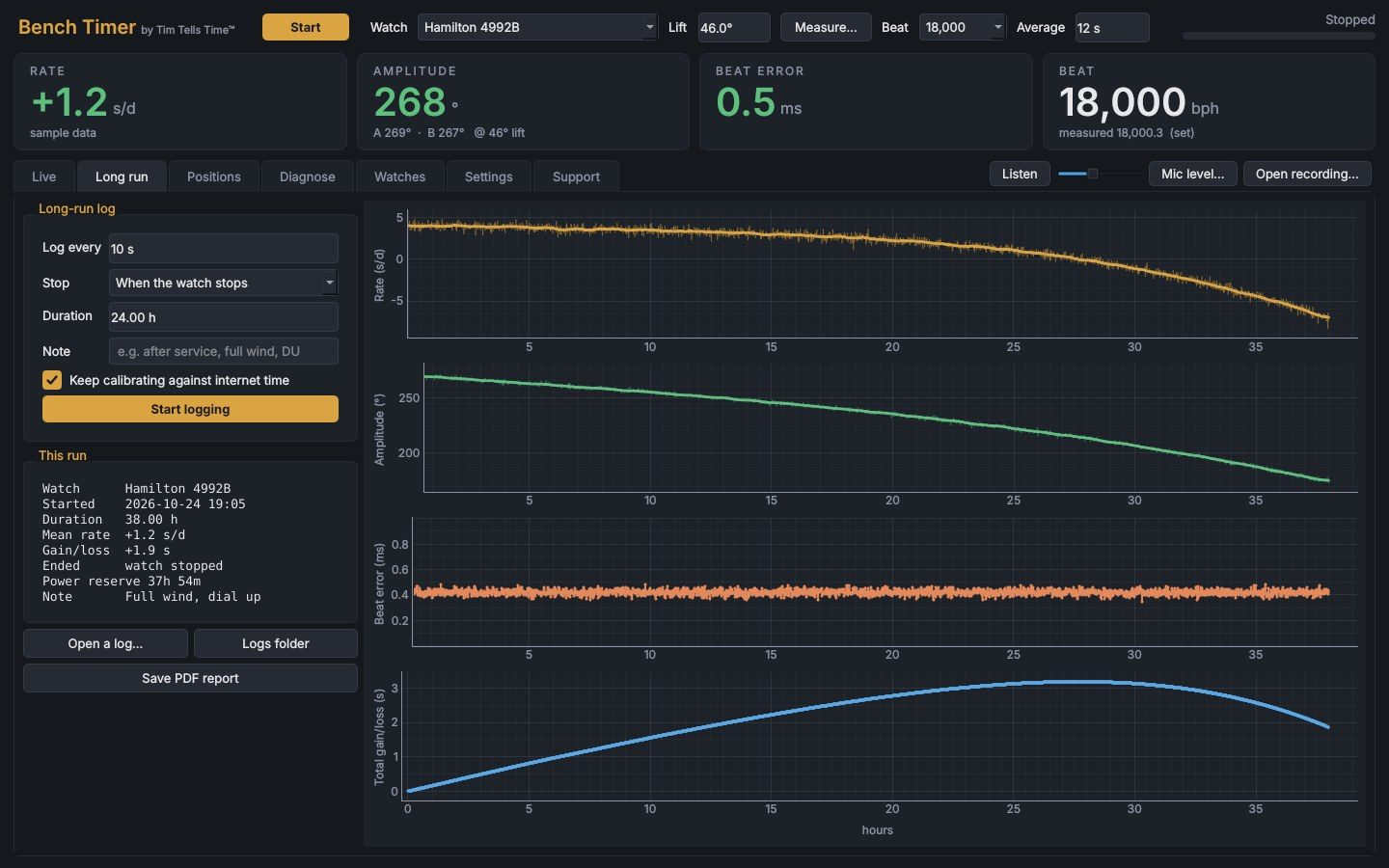
Logs for as long as you like
Rate, amplitude, beat error and total gain/loss, saved every few seconds to a spreadsheet-ready file.
Power reserve, measured for you
Bench Timer notices when the watch stops, ends the run and records how long it went.
Stays accurate overnight
With the Mic Adapter, every reading uses the adapter’s GPS-calibrated clock. With other microphones, Bench Timer re-checks against internet time every 15 minutes. The PC is kept awake while logging.
Six positions without a notepad.
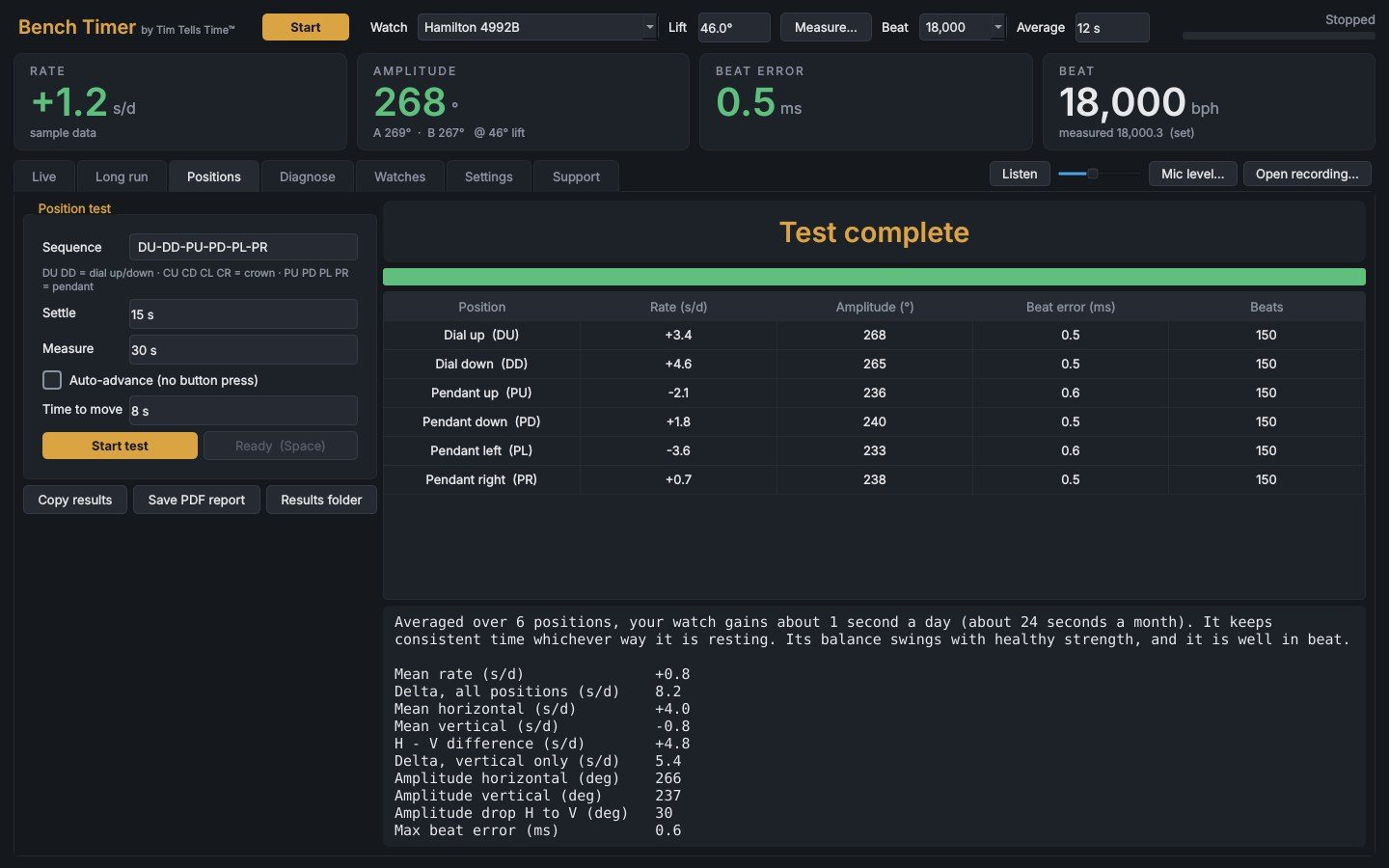
Your sequence, timed for you
Dial, crown or pendant positions in any order. Bench Timer prompts each one, waits for the balance to settle, then measures.
The numbers that matter
Mean rate, delta across positions, horizontal versus vertical, and amplitude drop, calculated the moment the test ends.
Straight into your records
Saved to file automatically; one click copies the results into Excel or your service records.
Ten minutes of timing, read for faults.
A timegrapher shows what a watch is doing. Diagnose looks for why: patterns in the timing that point to a particular part of the movement, each with its evidence and where to look. You make the call.
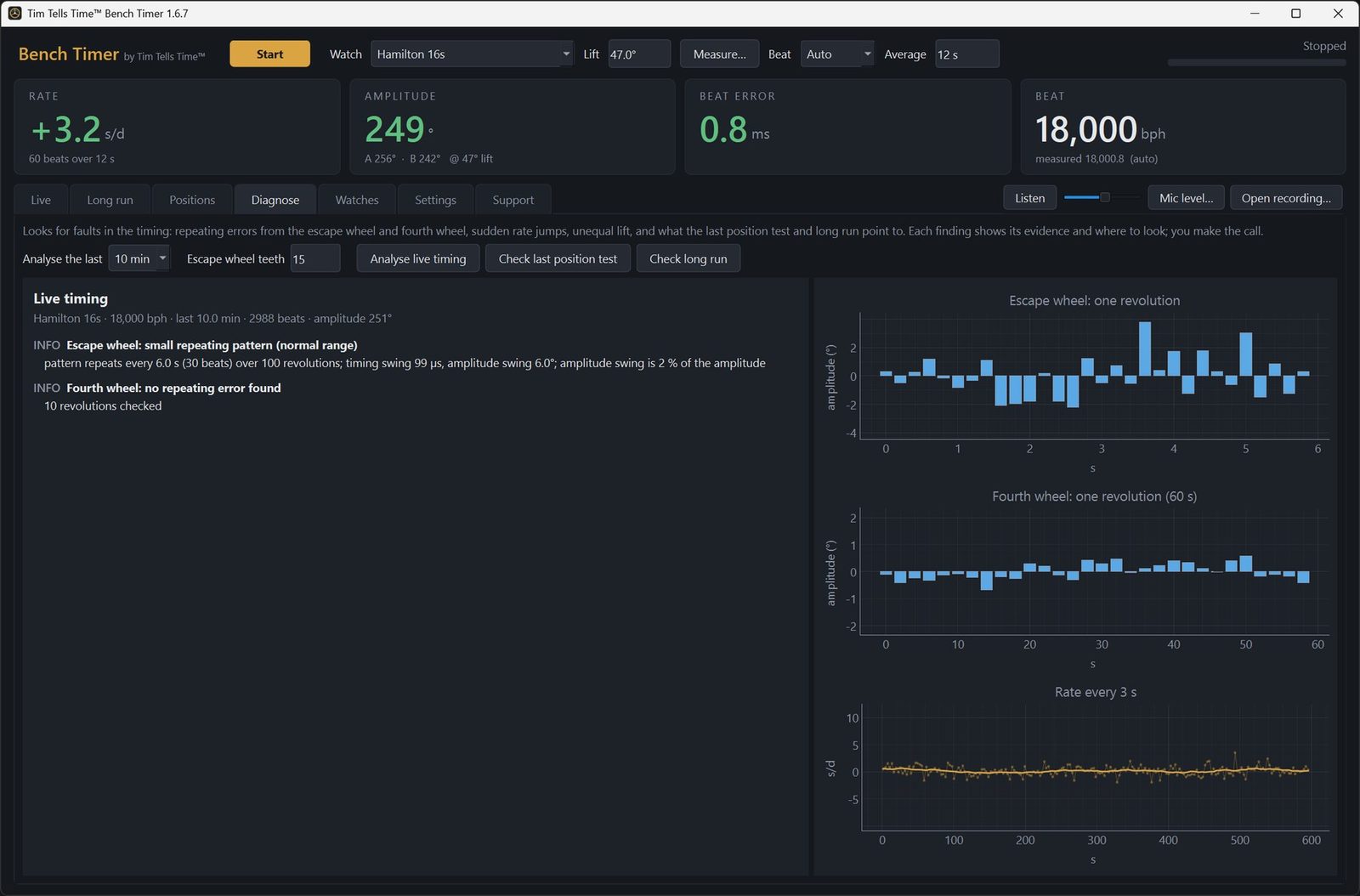
Repeating errors
Folds the timing over each turn of the escape and fourth wheels, so a damaged tooth, bent wheel or worn pivot shows as a pattern.
Jumps and knocks
Sudden rate jumps from a sticking or magnetized hairspring, something touching once a swing, and the balance knocking the banking.
Unequal lift
Compares unlock to drop on tick and tock, pointing at pallet-stone setting when the two sides differ.
Poise and pivots
Reads the last position test for dial up versus dial down, flat-to-vertical amplitude loss, and poise.
Isochronism and drag
Rate against amplitude through a run-down, early amplitude loss from the mainspring, and once-an-hour dips from the hands or motion works.
A number to compare
Allan deviation of the rate: one steadiness figure for before and after a service, or one watch against another.
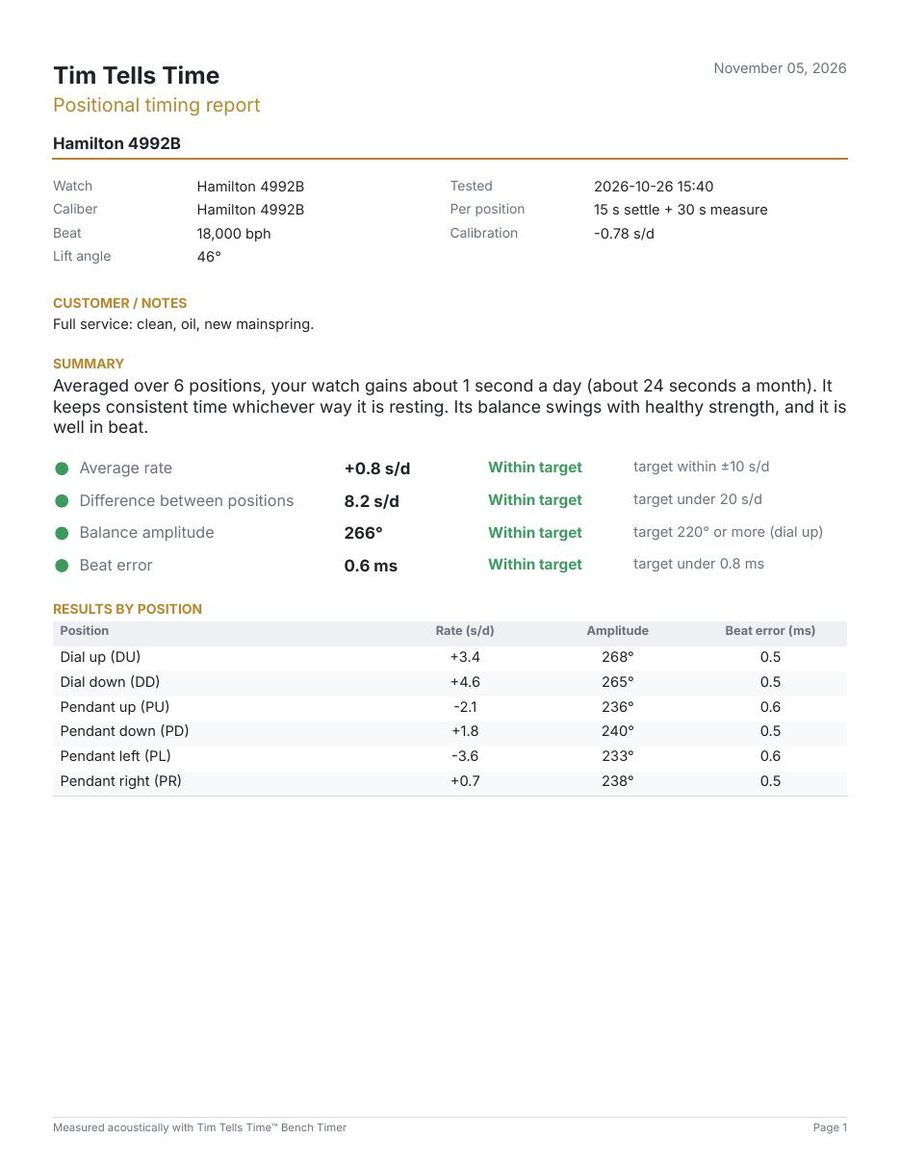
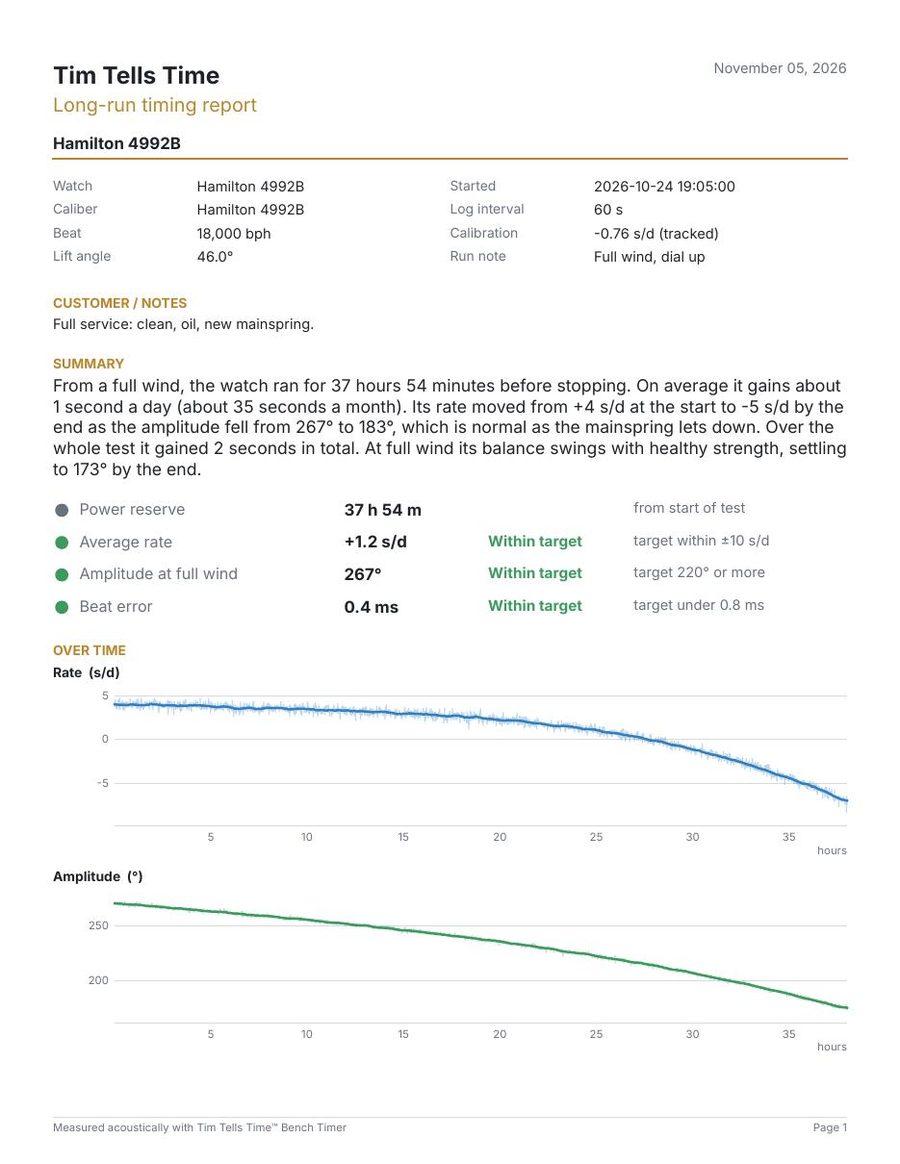
A report your customer can actually read.
Every position test and long run turns into a one-page PDF with your shop name and logo. Bench Timer writes the summary in plain English from the measurements, so there’s nothing to type.
“From a full wind, the watch ran for 37 hours 54 minutes before stopping. On average it gains about 1 second a day (about 35 seconds a month)…”
Professional features without a professional price.
| Weishi 1900 (box) | Weishi mic + Bench Timer | Witschi Watch Expert (4th gen) | |
|---|---|---|---|
| Typical price | About $175–230 US; £149.95 UK | To be announced | About £4,000 (UK dealer) |
| Screen | 4" LCD | Your PC monitor | 7" touch screen |
| Amplitude range | 100–360° | 70–360° | 70–360° |
| Beat rates | 9 presets, 12,000–43,200; others manually | Auto 3,600–86,400; any custom rate | 3,600–86,400, auto or manual |
| Measuring period | 2–60 s | 2–300 s live; unlimited logging | 2 s to 99 h 59 min |
| Saved history and graphs | No | Yes: charts, spreadsheet files | — |
| Power-reserve test | No | Automatic | — |
| Position testing | Move and read by hand | Guided sequence with statistics | 12 positions, detected automatically |
| Customer reports | No | Branded PDF with written summary | Thermal printer (optional) |
| Hear the escapement | No | Yes, headphones | Yes, built-in loudspeaker |
| Beat waveform | No | Yes, beat scope | — |
| Time base | Standard quartz crystal; rate accuracy ±1 s/d | Mic Adapter: TCXO (±2.5 ppm, about ±0.2 s/d) checked against GPS and corrected at the bench. Other mics: PC clock calibrated to internet time, about ±0.5 s/d | TCXO, ±0.025 s/d |
| Needs a PC | No | Yes, Windows | No |
— means the feature is not listed in the manufacturer’s data sheet. Sources, October 2026: Weishi 1900 specifications and UK price from Cousins UK; US price range from current US retail listings; Witschi specifications from the Witschi Watch Expert data sheet (2022); Witschi price from a UK dealer listing (Dynagem). Prices vary by dealer and region. The Witschi is an excellent standalone instrument and the benchmark here; Bench Timer is for the watchmaker who already owns a Weishi.
Checked against established software.
Bench Timer was tested side by side with eTimer on the same Hamilton 4992B, and against recordings of watches with known rate, amplitude and beat error.
A Windows PC
Windows 10 or 11. Bench Timer installs as a normal desktop program.
A Weishi microphone
From a Weishi 1000 or 1900. Same GX16 plug, same pin layout.
The Bench Timer Mic Adapter
GPS-calibrated and serial-numbered. One USB-C cable to the PC. See the adapter